Linux 1–0 Windows
What Shifted Me?
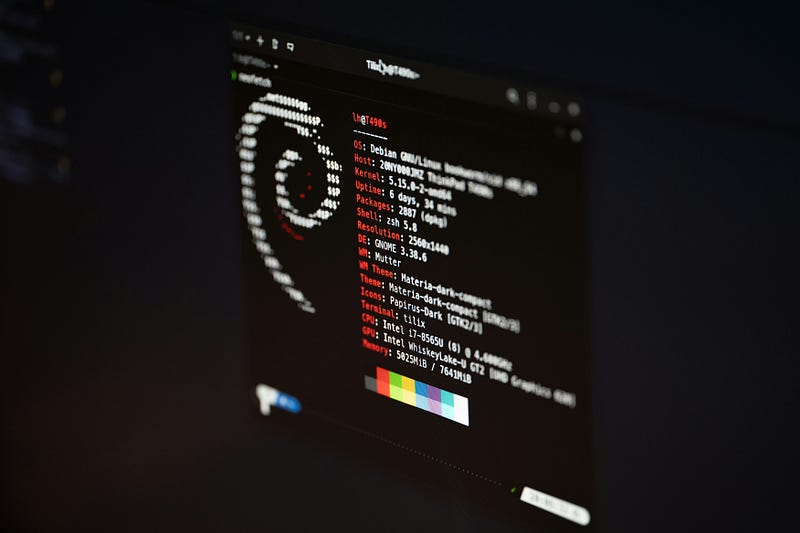
Yesterday while browsing through the websites for around 2–3 minutes I was shocked to know that my data usage for that particular time is around 1.5 Gigabytes which is my daily limit I also checked the background ongoing process and came to know that in the background system upgrade is going on it sucked my whole internet pack and that’s not it after opening my laptop from sleep mode it went into auto-update around 30 minutes and I want to create some projects and assignments for the college submission.
That’s why from that day downwards I transferred from Windows to Linux for obvious reasons. The story I have mentioned is not only one reason but also various other reasons, like the high system resources requirement, whereas in Linux, we need a much lesser amount of computing resources.
So why did Linux take over Windows, let's discuss
Why Linux Scores Over Windows
A. Cost-Effectiveness
Linux: As we all know all of the Linux distributions like Debian, Cent Os, Fedora, etc., are free to use and distribute under BSD-Clause. Except those that need enterprise and more controlled systems such as Red-Hat Enterprise solutions.
Windows: Even if you want Windows for your work you must pay to get their license, Even there MS. Office kinds of staff are also paid
B. Open Source
Linux: As everybody knows all of the software such as
- GNU Core Utilities (
ls,cat,cp,mv, etc.): Basic system commands. - GNU Bash (Bourne Again Shell): A popular shell for command-line interfaces.
- GNU Make A build automation tool.
- GNU GCC (GNU Compiler Collection): A compiler for programming languages like C, C++, and others.
Windows: Around all of the code of the window’s proprietary software with closed-source code means less or no customizations.
C. Security
Linux: The first thing when anybody listens is the security and robustness that’s why you may times listen to this phrase
Linux is the language of servers
As we all know most all servers use Linux because of security concerns and most of the control over the system components.
But the real security comes from their components. You can also read through this article to learn more.
Windows: In the case of security windows are also the pioneer of threats, as they have Windows security, but the enterprise-level Windows system uses third-party software for security reasons because of the threat from ransomware, phishing, etc.
D. Performance
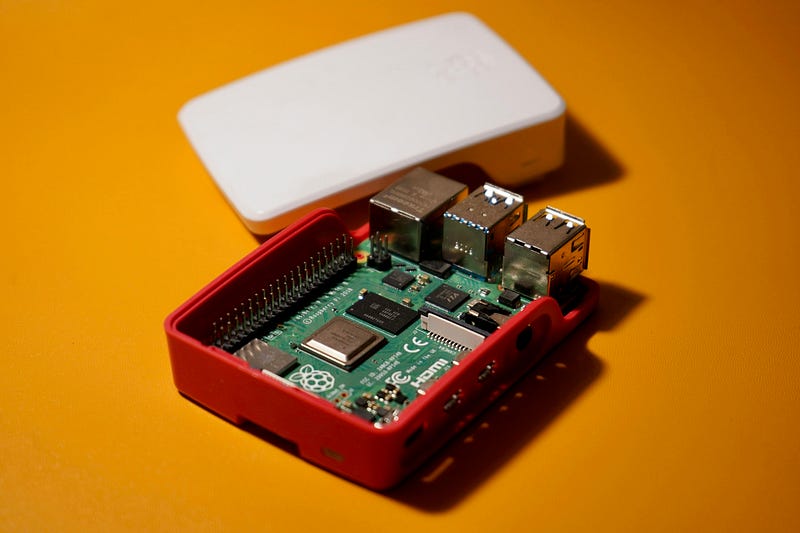
Linux: Because of the lightweight and adorable sizes they can also be used in embedded systems to make the physical task easy and steady. As of now when this article is published Nano Linux is the smallest of all. Because if small in size feature they can run efficiently on the older devices also.
One of the best examples use case of lightweight features is the RaspberryPii whose primary os is Raspbian which is a Linux distribution
Windows: Generally are resource intensive and often require updates to maintain performance with hardware components.
E. Customization
Linux: It provides endless customizations from kernel level to desktop level like GNOME, KDE, and XFCE.
Kernel-level customizations are majorly done with make and menuconfig GUI tools. We can customize the following things:
- Drivers: Add/Remove drivers, Add custom drivers for additional usage and optimizations.
- Memory Optimizations: Optimizing Page swapping, memory allocation strategy, and kernel memory limits.
- File system Tuning: Add different types of file systems such as ext4 for speed or btrfs for redundancy.
Desktop-level customizations include things as follows:
- Change Desktop Environments: We can able to install and update the environments for our use cases different environments include GNOME, KDE Plasma, XFCE, etc.
- Power Management: Fine-tune power settings.
- Backup and sync Technologies: Add tools to manage the backup and syncing processes.
- Terminal Customizations: We can able to change the terminal themes according to your requirements and feel.
- Notifications: Modifies how to show the notifications.
Windows: Customizations majorly happen at the high level of abstractions, Limited to GUI-level customization; kernel modifications are not feasible for most users. Includes Hyper-v Virtualizations for the creation of various virtual environments.
F. Pentesting Features
Linux: Distributions like Kali Linux, Parrot OS, and BlackArch come preloaded with loads of penetration testing equipment, which include Metasploit, Wireshark, Nmap, Hydra, and Aircrack-ng.
The Linux terminal is optimized for scripting and pentesting responsibilities, imparting an unbroken experience.
Windows: By default, Windows does now not include pentesting gear or frameworks. Tools like Metasploit, Nmap, or Burp Suite ought to be separately mounted and regularly require workarounds to function optimally.PowerShell is robust but not explicitly designed for pentesting, making it less intuitive for such tasks.
G. Developer-Friendly
Linux: Offers developer tools out of the box, versatile terminal commands, and package managers (like APT or Yum). It has virtually comprehensive support for the programming languages, and it is the preferred OS for the server room.
Windows: There are however powerful IDEs and tools but the developer ecosystem needs configuration for some tools like SSH Docker and so on.
Where Windows Holds Ground
After shifting from Windows to Linux one common thing I miss is the essence of AAA games which I played on the Windows systems. While Linux shines in various places windows also excel in:
- Easy to use: A beginner-friendly architecture with adorable architecture and familiarity.
- Software Availability: If you are an editor or using Windows for your own cases, there is software for you various software like Microsoft Office, Adobe After Effects, etc.
- Gaming: Superior gaming ecosystem with extensive support for graphics drivers and a wider range of games.
Conclusion
With respect to its security and cost, Linux has been appealing to developers, organizations, and users who are tech-savvy. In this regard, even though Microsoft Windows is well-centered in usability and commercial-oriented software, regarding other platforms there is a ‘1–0’ situation for Linux in many cases.
At the end of the day, it all comes down to why you want Linux or Windows and what you expect from each of them. Yet if that’s the case, if control, security, and a driven community are what you’re aiming for, then it’s hard to say that Linux isn’t the one for you.